Google Tag Gateway: The Server-Side 'Lite' Solution Your Analytics Stack Needs in 2026
Baris Asa
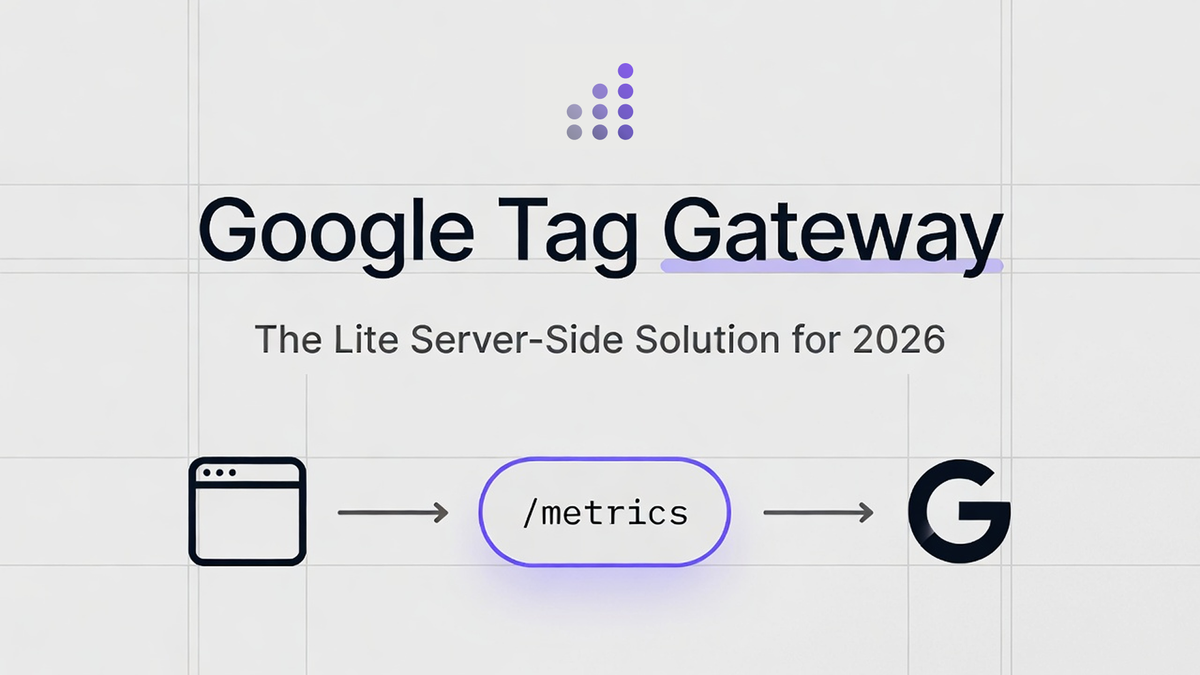
Table of Contents
Mentioning server-side tagging used to be the fastest way to end a conversation at a party.
I've been there. You start explaining the nuances of a Google Cloud Platform instance, Docker containers, and the monthly cost of a load balancer, and you watch the light fade from your client's eyes.
But Google's Tag Gateway (formerly known as First-Party Mode) has changed that conversation entirely.
It is quickly becoming my go-to recommendation for clients who want better data durability without the headache of a full server-side infrastructure project. It sits in a perfect "goldilocks" zone: more powerful than standard client-side tracking, but significantly cheaper and simpler than a full Server-Side Google Tag Manager (sGTM) implementation.
If you are a mid-sized brand in the UK, Europe, or the US, and you are watching your attribution data slowly degrade due to browser restrictions, this post is for you.
Here is why Tag Gateway is the modern standard for Google measurement, and how you can deploy it in minutes.
The Problem: Why Your Data Is Leaking
Before we look at the solution, we have to respect the problem. In 2026, the web is hostile to third-party tracking.
Browsers like Safari (via Intelligent Tracking Prevention, or ITP) and Firefox (via Enhanced Tracking Protection) are aggressive. They look at the requests your website makes. If they see your website talking directly to www.google-analytics.com or googleads.g.doubleclick.net, they instantly flag those requests as "third-party."
The consequences are expensive:
- Cookie Capping: Safari will often cap the lifespan of your cookies to 7 days or even 24 hours. If a user clicks an ad on Monday and converts on Wednesday, you might lose the attribution entirely.
- Ad Blockers: Many privacy extensions simply block any request going to known Google domains.
- Signal Loss: You lose the "connective tissue" between a user's initial visit and their final purchase.
For years, the only real solution was Server-Side GTM. This involved spinning up your own server (usually on Google Cloud), pointing a custom subdomain to it (like metrics.yourbrand.com), and routing all data there first.
It works beautifully. It is also expensive, technical, and overkill for many brands that just want their Google Ads to report the correct number of sales.
Enter Google Tag Gateway.
What Is Google Tag Gateway?
Google Tag Gateway is a "lite" version of server-side tracking.
It enables a first-party path for your Google tags using your existing web infrastructure (like Cloudflare, Akamai, or a Google Cloud Load Balancer).
How It Works (The Simple Version)
In a standard setup, a user's browser downloads a script directly from Google servers.
Browser → Google Servers
In a Tag Gateway setup, the browser talks to your domain.
Browser → yourwebsite.com/metrics → Google Servers
Your Content Delivery Network (CDN) acts as a high-speed proxy. It takes the request from the user, masks it so it looks like it's staying within your website, and then forwards it securely to Google.
Why this matters: To the browser (and Safari's ITP), this traffic looks like it is internal to your website. It is "first-party." This grants your tracking cookies a longer lifespan and ensures more of your data actually reaches Google Analytics 4 (GA4) and Google Ads.
The Payoff
Google's own data suggests an uplift in signal recovery of around 7% to 11%.
For a brand spending £50,000 or $50,000 a month on ads, recovering 10% of your conversion data isn't a technical tweak; it is a significant improvement in Return on Ad Spend (ROAS). Better signals in mean better Smart Bidding performance.
Comparison: Tag Gateway vs. sGTM vs. Zaraz
This is the most common question I get: "If I have Tag Gateway, do I still need Server-Side GTM?"
The answer depends on your stack.
| Feature | Google Tag Gateway | Server-Side GTM (sGTM) | Cloudflare Zaraz |
|---|---|---|---|
| Primary Goal | Establish a first-party data connection for Google tools. | Complete control over data before it is sent to any vendor. | Offload scripts from the browser to speed up the website. |
| Complexity | Low. Automated setup takes <15 mins via Cloudflare. | High. Requires cloud infrastructure, DNS, and maintenance. | Medium. Requires configuration in Cloudflare dashboard. |
| Cost | Free / Low. Included in most CDN plans. | High. Server costs (approx $50-$150/mo) + maintenance. | Variable. Free tier available, scales with usage. |
| Data Enrichment | No. It is a passthrough proxy. | Yes. You can add CRM data, profit margins, etc. | Limited. Mostly focused on web triggers. |
| Vendor Support | Google Only (GA4, Ads, Floodlight). | Universal. (Meta, TikTok, Pinterest, LinkedIn, etc.). | Universal. Many built-in templates. |
| Use Case | Mid-sized brands focused on Google Ads performance. | Enterprise brands or those needing strict PII governance. | Performance-focused sites wanting to reduce JavaScript bloat. |
The Verdict:
- Use Tag Gateway if you primarily need to fix your Google Ads and GA4 data quality and want a "set and forget" solution.
- Use sGTM if you need to strip PII (Personal Identifiable Information) for compliance, send data to non-Google vendors server-side, or enrich data with offline/CRM inputs.
Implementation Guide: The "Easy Button" (Cloudflare)
If you are using Cloudflare, you are in luck. Google and Cloudflare have built a direct integration that makes this incredibly simple.
Prerequisites
- Admin access to your Google Tag Manager (GTM) container.
- Admin access to your Cloudflare account.
- A website already proxied through Cloudflare (the orange cloud icon must be on).
Step-by-Step Setup
- Open Google Tag Manager: Go to the Admin tab of your web container.
- Find the Gateway: Look for Google Tag Gateway (sometimes labeled under "Google Tag settings" depending on your rollout version).
- Start Setup: Click "Set up". You will be asked to choose a deployment method. Select Cloudflare.
- Define Measurement Path: You need to choose a folder name that doesn't exist on your website. Do not use: /api, /admin, or /images. Do use: /metrics, /tr, /g-data, or /analytics.
- Authorize: A window will pop up asking you to log into Cloudflare. Grant Google permission to add a "Worker" to your account.
- Review Domains: Select the domains you want to activate this on.
- Complete: Click "Finish".
What just happened?
Google automatically created a routing rule in Cloudflare. Now, when your GTM loads, it will automatically try to load scripts from yourbrand.com/metrics instead of googletagmanager.com.
Verifying the Setup
Wait 10 minutes, then open your website in a new tab.
- Open Chrome Developer Tools (F12).
- Go to the Network tab.
- Filter for gtm.js.
- Look at the Request URL.
Old: www.googletagmanager.com/gtm.js?id=G-XXXX
New: yourbrand.com/metrics/gtm.js?id=G-XXXX
If you see your own domain, congratulations. You are now tracking in first-party mode.
Implementation: The "Manual" Way (GCP / Akamai / Others)
If you aren't on Cloudflare, you can still use Tag Gateway, though it requires a bit more elbow grease.
Google Cloud Platform (GCP)
As of early 2026, Google introduced a simplified setup for GCP users.
- In GTM Admin, select Google Cloud Platform.
- This uses the External Application Load Balancer.
- It will require you to select a GCP project and billing account.
- Google will provision the load balancer rules to route traffic from your chosen path (e.g., /metrics) to the Google tracking servers.
While the setup is automated, you will pay standard GCP load balancing rates.
Akamai / Generic CDN
For Akamai or other CDNs (Fastly, AWS CloudFront), the logic is always the same:
- Create an Origin: The origin is www.googletagmanager.com.
- Create a Behavior/Rule: Match traffic hitting your specific path (e.g., /metrics/*).
- Route it: Forward that traffic to the Google origin.
- Headers: You may need to ensure specific headers (like X-Forwarded-For) are passed correctly so Google knows the user's real IP address, not your server's IP.
The Strategic Stack: The "Hybrid" Approach
This is where I shift my advice for 2026. A full sGTM container is still the "gold standard," but for many mid-sized brands, the maintenance costs (often $100-$300/mo plus agency fees) are a dealbreaker.
They don't need a major infrastructure project; they just need durable signals.
Here is the Hybrid Stack I recommend for these clients:
- For Google (Ads & GA4): Use Google Tag Gateway. It's free (on Cloudflare), takes 10 minutes to set up, and handles 80% of your traffic volume natively.
- For Meta (Facebook/Instagram): Use CAPI (Conversions API) via a native integration. Shopify, WooCommerce, and Magento all have excellent "tick-box" integrations for CAPI now.
- For TikTok/Pinterest: Use a lightweight provider like Stape. If you need server-side tracking for these platforms and native integrations aren't enough, Stape offers a managed sGTM hosting service that is significantly cheaper than running your own GCP instance.
When to move to full custom sGTM?
Only move to a fully custom, self-hosted sGTM environment when you genuinely need:
- Advanced Data Enrichment: Injecting profit margins or loyalty status into hits before they leave your server.
- Complex Routing: Sending the exact same event trigger to 10 different endpoints simultaneously.
- Strict Governance: You operate in a highly regulated industry (Finance/Health) and need to redact PII before it touches any third-party server.
Troubleshooting & Common Pitfalls
Even with the "easy button," things can go wrong. Here are the issues I see most often.
1. The "Loop" Error
If you manually configure the measurement path to be the same as your website's root or an existing page, you can break your site. Always use a dedicated subfolder that does not exist in your CMS structure (like /metrics/ or /g-tracking/).
2. Consent Mode Confusion
Google Tag Gateway does not bypass user consent. If a user denies cookies via your banner (OneTrust, Cookiebot, etc.), the tags must still be blocked or set to "denied" status. Tag Gateway makes the transport mechanism first-party; it does not give you permission to track users who have said "no." You must still implement Google Consent Mode v2 correctly.
3. Ad Blockers Are Smart
While Tag Gateway helps with browser restrictions (ITP), sophisticated ad blockers (like uBlock Origin) are smart. They maintain lists of known tracking paths. Eventually, they may flag /metrics/gtm.js. However, Tag Gateway is much more resilient than standard tracking because it shares the same domain reputation as your main website.
4. 404 Errors on Scripts
If you see 404 errors for your tracking scripts after setup, check your SSL/TLS settings in Cloudflare. Ensure your SSL mode is set to Full or Full (Strict). Sometimes "Flexible" SSL can cause redirect loops with these types of workers.
Future Proofing: Confidential Computing
Looking ahead to the rest of 2026, Google is rolling out Confidential Computing for Tag Gateway.
This uses a technology called Trusted Execution Environments (TEEs). Essentially, it encrypts data while it is being processed in the cloud, ensuring that even the cloud provider (Google or Cloudflare) technically cannot see the raw data "in use" in the same way.
For brands in Europe dealing with strict GDPR scrutiny regarding US data transfers, this added layer of security will be a major selling point. It turns Tag Gateway from just a "tracking tool" into a "privacy compliance tool."
Conclusion
We are past the point where we can rely on standard, client-side tracking pixels to run a business. The signal loss is too high, and the platforms rely too heavily on AI modeling to fill the gaps.
You need to feed the algorithm better data.
For years, the barrier to better data was technical complexity and cost. Google Tag Gateway removes that barrier. It is a robust, first-party solution that strengthens your Google Ads and GA4 data with minimal effort.
My advice:
If you are on Cloudflare, not using server-side tagging or Zaraz, turn this on today. It is a low-risk, high-reward deployment.
If you are not, plan a migration or look at the manual GCP setup.
Your data strategy doesn't need to be complicated to be effective. It just needs to be durable.
If you want help choosing the right setup or validating your current implementation, feel free to reach out.